CLIKVUE GROWTH HUB

Why Your Business Isn’t Showing Up on Google Maps (and What to Do About It)

Clikvue • 10 August 2026

Share this article

Why Your Business Isn’t Showing Up on Google Maps (and What to Do About It)


You search Google Maps for the service your business provides.

Several competitors appear.

Yours doesn't.

That can be frustrating, but before changing your Google Business Profile, there is one important question to answer:

Is your business genuinely missing from Google, or is it simply not ranking for the search you tried?

Those are two different problems.

If you understand which one you have, it becomes much easier to work out what to fix.


Quick answer

If you can't find your business on Google Maps, first search for your exact business name and town.

Google itself recommends searching Maps using your business name and city when looking for your Business Profile.

If your profile appears when you search its exact name but doesn't appear when you search something like “plumber near me” or “accountant in Kettering”, your business probably isn't missing.

You're more likely dealing with a local visibility problem.

If the business doesn't appear even when you search its exact name, start with the technical checks below.


Quick diagnosis

Is your business missing, or just not ranking?

Profile problem

Your business is missing

You search your exact business name and town, but the profile still doesn't appear.

Check first:

  • Verification
  • Suspensions or restrictions
  • Pending profile changes
  • Duplicate listings
Visibility problem

Your business isn't ranking

Your profile appears by name, but not when people search for the services you offer.

Focus on:

  • Relevance
  • Distance
  • Prominence
  • Your wider online presence

1. Check whether your Business Profile is verified

Verification is one of the first things to check.

Google says only verified businesses can show their business information on Google Maps and Search.

Sign in to the Google account used to manage the business and check whether Google is asking you to complete verification.

Depending on the business, Google may offer different verification methods. Video verification is one of the methods Google currently uses for storefront, hybrid and service-area businesses.

For video verification, Google may ask you to show things such as:

  • Your business location
  • Signage or surrounding streets
  • Tools or equipment
  • Business documents
  • Evidence that you genuinely manage the business

The requirements vary depending on how your business operates.

If verification is still outstanding, complete that before trying to diagnose a ranking problem.


2. Check whether your profile has been suspended or disabled

Google may suspend or disable Business Profiles that don't follow its guidelines.

If a profile is removed, the public cannot access it until the issue is successfully resolved.

Check the Google account that manages your Business Profile for any warnings or restrictions.

If the profile has been suspended, don't immediately create another profile for the same business. Google specifically advises against creating a new Business Profile while an appeal is being reviewed.

Instead, check that your information accurately represents the real business and follow Google's appeal process.

3. Has the business or profile only just been created?

Sometimes nothing is actually broken.

Google says rankings for new businesses can take up to a month to appear in search results. Changes to business information can also take time to feed through.

Individual Business Profile edits are normally reviewed much more quickly, but Google says some can remain pending for up to 30 days.

If you've just created the profile or made major changes, check its status before repeatedly editing the same information.


Missing or just not ranking?

At this point, search for your exact business name again.

If you can find it, you've established something useful:

Your business is on Google.


The question now becomes:

Why isn't Google showing it prominently when people search for the services you provide?


Google says its local results are mainly based on three factors:

How local results work

Relevance, distance and prominence

Google uses a combination of these three factors when deciding which businesses are most useful for a local search.

01

Relevance

Does your business match what the person searched for?

Google needs enough information to understand what your business actually does and when it is relevant to a search.

Category Services Website Business info
02

Distance

How close is your business to the person searching?

Local results can change depending on where somebody is searching from. Two people can make the same search and see different businesses.

Searcher location Business location
03

Prominence

How established does your business appear online?

Reviews, links, your website and other information about your business can help Google understand how established it is.

Reviews Links Website Online presence

4. Google may not clearly understand what your business does

Your Business Profile category matters.

Google says the categories you choose affect local ranking and recommends selecting a specific primary category that best describes the business.

For example, a business shouldn't choose a long list of loosely related categories simply because it wants to appear for more searches.

Google recommends using only the categories needed to describe the core business, rather than using categories like keywords.

Ask yourself:

Does my primary category accurately describe what this business mainly is?

Your other business information should support that answer too.

Make sure your services, website, description and wider online presence make it clear what you actually provide.


5. The person searching may simply be too far away

Distance is easy to underestimate.

Google considers how far a business is from the person conducting the search. If the searcher's precise location isn't available, Google uses other information to estimate where they are.

That means two people searching exactly the same phrase can see different local results.

So:

Searching your own business from your own phone is not a perfect test of how visible your business is across your whole area.

A business could perform well close to its location and be much less visible several miles away.


6. Adding more service areas doesn't automatically solve the problem

This is particularly important for trades and service businesses.

Google allows service-area businesses to specify up to 20 cities, postcodes or other areas that they genuinely serve. Google also recommends keeping the overall area reasonably close to the business base and being accurate about where you operate.

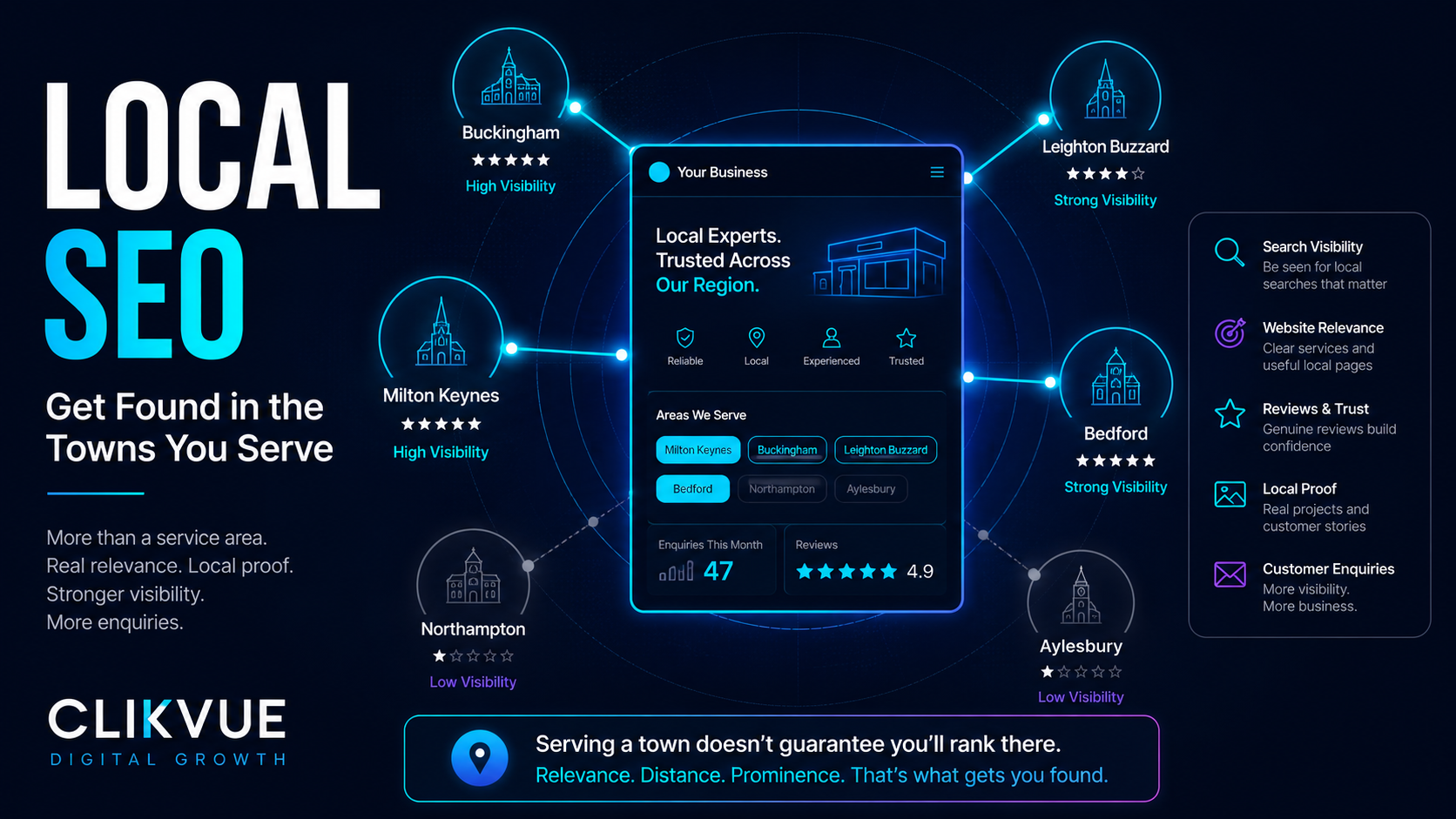
SERVICE AREA ≠ GUARANTEED RANKINGS

But don't treat the service-area setting as a ranking switch.

Google still says distance is one of the main factors used when determining local results. It would therefore be a mistake to assume that adding a town to your service area guarantees you'll begin appearing prominently there.

We'll cover this in more detail in our separate guide to getting found in the towns your business serves.


7. Your business information may be incomplete or inaccurate

Sometimes the issue is much less complicated than SEO.

Google says businesses with complete and accurate information are more likely to appear in relevant local results.

Check:

  • Business name
  • Address or service-area setup
  • Opening hours
  • Phone number
  • Website
  • Primary business category
  • Additional relevant categories

Your Business Profile should accurately represent the business people interact with in the real world.

Avoid adding unnecessary keywords, locations or services to your business name simply because you want to rank for them.

Google's guidelines say businesses should use their real-world business name and select categories that genuinely represent the core business.


8. Your competitors may simply have stronger prominence

Two businesses can both have complete Google Business Profiles but still perform very differently.

Google says prominence can be influenced by information about a business from across the web, including links and reviews. It also says more reviews and positive ratings can help local ranking.

That means your Google Maps visibility doesn't exist in isolation.

Your wider online presence matters too.

A competitor might have:

  • More established reviews
  • A stronger website
  • More websites referencing the business
  • Better-known local presence
  • Clearer information about what it offers

This doesn't mean you need to chase every possible marketing tactic.

It means Google Maps visibility should be looked at as part of your overall online visibility, rather than as one disconnected profile.


9. Check whether another version of your business already exists

Before creating a new listing, search Google Maps carefully for your business.

You may discover an older or unverified profile already exists.

Google allows legitimate businesses to claim an existing unverified profile rather than creating another one. It also provides processes for resolving duplicate profiles and ownership issues.

If your business has moved location, Google specifically recommends updating the existing profile rather than creating a completely new one.

Google Maps visibility checklist

10 things to check before changing your Google Business Profile

Work through these in order. The goal is to identify the actual problem before you start changing things that may already be working.

01

Search your exact business name and town

Can you find the profile at all?

02

Confirm your profile is verified

Complete any outstanding verification.

03

Check for restrictions

Look for suspension or profile warnings.

04

Look for pending changes

Recent edits may still be processing.

05

Check for duplicate profiles

An older version of the business may already exist.

06

Review your business information

Check your name, phone number, website and opening hours.

07

Check your primary category

Does it accurately describe your main business?

08

Review your location setup

Check your address or service-area configuration.

09

Search from different locations

One search from your own phone doesn't tell the whole story.

10

Compare the businesses appearing above you

Look at their reviews, websites and wider online presence.

Don't try to trick Google Maps

When competitors keep appearing above you, shortcuts can become tempting.

Avoid:

  • Adding towns and services to your business name when they aren't genuinely part of it
  • Selecting unrelated categories simply to target more searches
  • Creating several profiles for the same business
  • Creating fake locations
  • Using an address where customers cannot genuinely visit if the business is meant to be shown as a storefront

Google requires Business Profiles to accurately represent eligible real-world businesses, and profiles that break its guidelines can be suspended or disabled.

A legitimate improvement to your visibility is far more valuable than a shortcut that risks removing the profile entirely.


What should you work on next?

If your business is completely missing from Google Maps, start with the technical basics:

Verification, profile status, duplicates and accurate information.

If you appear when somebody searches your business name but disappear for your important services, start thinking about:

Relevance, distance and prominence.

You can't control every part of Google's local search system.

But you can make it much easier for both Google and potential customers to understand:

Who you are.

What you do.

Where you operate.

And why somebody should choose you.

That is the foundation of stronger local visibility.


Want a clearer picture of what's holding your business back?

A Google Business Profile is only one part of your online presence.

The Clikvue Online Visibility Snapshot Report gives you a focused assessment of how your business currently appears online, including areas such as your website, Google visibility, trust, reviews and conversion.

For £100, we'll identify what looks healthy, where potential problems may be limiting you, and the areas that deserve attention next.

No promises of instant rankings. No unnecessary marketing jargon.

Just a clearer picture of where your business stands and what could be improved.

Not ready for a full report? You can also complete the free Clikvue Growth Score for a quick indication of how your visibility, credibility, conversion and reputation are performing.


Resources

Find your business on Google
Google's official guidance for locating and managing your Business Profile.

Verify your business on Google
Official guidance on Business Profile verification and available verification methods.

Manage your business category
Google's guide to choosing and updating your primary and additional categories.

Manage service areas
Official guidance for service-area and hybrid businesses.

Fix a suspended or disabled Business Profile
Google's official appeal and reinstatement guidance.


Sources

Google Business Profile Help: Tips to improve your local ranking on Google
Used for Google's guidance on relevance, distance, prominence, reviews and complete business information.

Google Business Profile Help: Guidelines for representing your business on Google
Used for business-name, category and profile accuracy guidance.

Google Business Profile Help: Understand what happens to your Business Profile edits
Used for information about pending profile changes and review times.

Google Business Profile Help: Resolve duplicate profiles and ownership issues
Used for duplicate, ownership and relocation guidance.


Recent Posts

Small business website connecting Google visibility, trust, SEO and customer enquiries
by Clikvue 14 September 2026
Does your small business need a website? Learn what a strong website should include and how it can improve visibility, trust, SEO and generate more enquiries.
Local SEO visibility graphic showing a business connecting with customers across nearby UK towns
by Clikvue 7 September 2026
Learn how to improve local SEO across the towns you serve using Google Business Profile, useful location pages, local proof, reviews and stronger website signals.
Google review count milestones showing how many reviews a small business may need
by Clikvue 31 August 2026
How many Google reviews does a small business really need? Learn why 20 is a useful first milestone, how to compare competitors and build reviews consistently.
Website visitor journey showing traffic dropping off before becoming customer enquiries
by Clikvue 24 August 2026
Getting website traffic but no enquiries? Find out whether traffic quality, unclear messaging, weak trust, poor CTAs or enquiry friction is the problem.
Trust signals including reviews, contact details and credibility indicators for small businesses
by Clikvue 17 August 2026
Discover 11 website trust signals that help small businesses build credibility, reduce doubt and turn more visitors into enquiries and customers.
29 July 2026
Learn how to improve your Google Business Profile, appear more professional in local searches and help more customers find your UK business.