CLIKVUE GROWTH HUB
How to Know Where Your Enquiries Are Actually Coming From
How to Know Where Your Enquiries Are Actually Coming From
You know the phone rang. You know someone filled in the contact form. You might even know how much work you booked last month.
But which activity helped those people find you and decide to get in touch?
That is often the missing part. A customer might hear your name from a neighbour, look you up on Google, check your website and reviews, then call two days later. If the only detail you keep is “phone enquiry”, the useful part of that journey disappears.
Without it, marketing decisions become guesswork. The busiest channel can look like the best one. A website that helps customers feel confident can look unimportant because the final enquiry happened elsewhere.
You do not need a perfect record of every click. You need enough reliable information to answer three practical questions: what brings suitable enquiries, what helps them become customers, and what should you improve next?
This guide takes you through that process, from a simple conversation to useful Google reports, website checks and a monthly review you can act on.
The quick answer: start with real enquiries, not clicks
For each genuine new enquiry, keep a short record of:
- Discovery: where the person says they first found you.
- Contact: how they got in touch.
- Fit: whether the request is for work you can realistically provide.
- Outcome: what happened next, including opportunities still open.
Ask “How did you first find us?”, update the same record as the conversation progresses, and compare the results over a consistent period. Use Google and website reports to explain the surrounding activity, not as a replacement for the enquiries your business actually received.
If you do only one thing today, add the source question to your next enquiry conversation.
Separate where someone found you from how they contacted you
“Phone”, “email” and “website form” are contact methods. They are not necessarily marketing sources.
That distinction changes how you judge your online presence. If most customers call, it does not follow that your website is doing little. They may use it to check your services, location, previous work and credibility before picking up the phone.
It helps to think about four separate parts of the journey:
Four parts of an enquiry journey
One illustrative journey. The way someone contacts you is not necessarily how they discovered you.
- Discovery A neighbour recommended you What first introduced the business?
- Confidence Website and Google reviews What helped them decide you were a good choice?
- Contact They called your business How did they make the enquiry?
- Outcome They booked the work What happened to the opportunity?
In this example, a recommendation introduced the business. The website and reviews helped the person feel comfortable. The phone call was the way they made contact. Booking the work was the outcome.
Keep those roles separate. You do not need to assign a percentage of the sale to each one.
There is another useful distinction: Google Search is not always new discovery. Someone who already knows your name may search for it to find your number. That search still matters, but it is different from a person discovering you through “emergency plumber near me”.
Ask about first discovery rather than assuming the last website visit explains the whole story.
Decide what counts as one enquiry
Agree this before comparing sources. Otherwise, the count can change depending on who answers the phone.
For a service business, one enquiry could mean one person requesting a quote, asking about availability or discussing a service you provide. It is a potential piece of work, not every message exchanged about it.
If someone completes a form, emails a photo and calls for an update about the same job, keep one opportunity with three contacts. Counting all three as new enquiries would inflate the result.
Keep spam, supplier sales pitches, recruitment messages and your own tests outside the enquiry total. Routine updates about an existing booking are not new opportunities either.
An existing customer asking about a different job can be a new opportunity. Label it “Existing customer” so repeat business stays visible without being mistaken for newly acquired customers.
Also separate genuine but unsuitable requests from spam. A real person outside your service area is useful evidence about your messaging or targeting, even if you cannot help them. Record the enquiry, mark it unsuitable and note the reason.
Write down your definition in a sentence and use it consistently. Changing the rules halfway through a comparison can make a stable business look as though it suddenly improved or declined.
Level 1: ask a better question and capture the answer
This is the most useful starting point because it includes phone calls, direct messages, recommendations and other enquiries that website reports cannot fully explain.
Use wording that feels natural
Deal with the customer’s main question first. Then ask:
“One quick question, so we know what’s helping people find us: how did you first hear about the business?”
The word first matters. “How did you contact us?” invites an answer such as “through the website”, which may not tell you what introduced the business.
If they say “Google”, you can follow up once:
“Was that the Maps listing or a website result, if you remember?”
If they do not remember, stop there. “Google — unsure” is better than a confident answer you have steered them into giving.
If they say “a friend”, you could ask whether that friend has used your business. That may distinguish a recommendation from someone simply sharing a social post. Do not turn the enquiry into an interview.
For email or a direct message, add the same short question after answering what they need. If appropriate, a second question can capture reassurance:
“Was there anything you checked before deciding to get in touch?”
That can reveal the value of reviews, project photos, clear pricing or a helpful service page. It is useful context, not a requirement for every conversation.
Keep website forms easy to complete
An optional “How did you first find us?” field can help. Offer a short set of relevant choices, including “Other” and “Not sure”. For example: Google Search, Google Maps, recommendation, Facebook or Instagram, and existing customer.
Only include channels you actually use. An unnecessarily long list makes the form harder to complete and the answers harder to review.
Do not require a precise marketing answer before someone can request help. Winning the enquiry matters more than obtaining a perfectly labelled source.
Keep a short enquiry record in a system you already use
Use your existing customer-management system, booking notes or a consistent enquiry record. The format is less important than whether somebody keeps it up to date.
Choose one owner for the process. If several people handle enquiries, agree who records the initial request and who updates the outcome. “Everyone will do it” can easily become nobody doing it.
Start with the essential information and add detail only when it answers a useful question:
What to record for one opportunity
Start with the essentials. Keep labels consistent and update the same opportunity as it progresses.
| Detail | What to note | Why it helps |
|---|---|---|
| First enquiry date + reference | The start date and one opportunity reference. | Keeps repeat contacts together and fixes the review period. |
| Discovery source | Referral, Google Search, Google Maps, Facebook, Instagram, existing customer, other or unknown. | Separates first discovery from the contact route. |
| Contact method | Phone, form, email, message or in person. | Shows which routes people use to reach you. |
| Service + suitability | What they need; suitable, unsuitable or not yet known. | Distinguishes useful demand from poor-fit requests. |
| Outcome + next action | Open, won or not proceeding; action, owner and due date. | Keeps follow-up and customer outcomes visible. |
| Optional useful detail | Reassurance, a known reason for loss, or a consistently defined value. | Adds explanation only when the information is dependable. |
Use a short source list and keep extra detail in a note. “Referral” can be the main label, with “Recommended by a previous customer” as the explanation. “Facebook” and “FB” should not become separate categories just because two people use different wording.
For fit, start with “Suitable”, “Unsuitable” and “Not yet known”. A suitable request could match your service, area and basic availability. Define that for your business; it is not a judgement about the customer’s worth.
For outcome, use clear stages such as “Open”, “Won” and “Not proceeding”. Keep suitability separate: a suitable enquiry can still be lost, and an open enquiry is not automatically a failure.
If a request does not proceed, record a short reason when you genuinely know it: outside the area, service not offered, unavailable dates, price, chose another provider or no response. Avoid labelling every unexplained loss “too expensive”.
Add the next action and its owner. Source information is useful, but it will not rescue an enquiry that nobody follows up.
What a useful record looks like
Imagine a local electrician receives a call about replacing a consumer unit. This is an illustrative example, not a Clikvue customer result.
The note could say: first enquiry 6 October; source referral; a neighbour recommended the business; customer checked reviews and the service page; contact by phone; work within the service area; quote sent; follow-up due on 10 October.
If the work is accepted later, update that same opportunity to “Won”. If it does not proceed, keep the original source and record the outcome. Do not create a new lead each time the conversation advances.
This small amount of information explains much more than “one phone call”. It tells you what introduced the business, what helped the decision and whether the opportunity moved forward.
Leave uncertainty visible
Customer answers are useful, but memories are imperfect. Someone may remember a recent Instagram post rather than the recommendation that first brought you to their attention.
Keep “Unknown” and “Google — unsure” available. Do not spread unknown enquiries across the channels you hope are working.
If a customer reports a recommendation while your website records a social campaign visit, keep both facts with their labels. One is reported first discovery; the other is an observed website interaction. They do not have to agree to be useful.
Level 2: use Google reports to add context
Once you are recording real enquiries, use platform reports to investigate what happens around them. Start with a question, rather than opening every report and hoping a clear answer appears.
Google Business Profile: interest in your listing
For a verified profile, the Performance area shows relevant listing activity for a selected period. Available measures can include website clicks, call-button clicks and directions requests; the measures vary by business. Google’s performance guide explains them.
The call measure counts taps on the call button. It is not a count of connected conversations, suitable enquiries or customers.
Compare it with what the business received. If button taps increase but enquiries do not, check missed calls, the number shown, opening hours and how enquiries are recorded. Those are investigation points, not proof of the cause.
If you get most enquiries by phone, regularly check your call handling too. Can callers leave a useful message? Is somebody responsible for returning missed calls? Source reporting cannot compensate for contact attempts that go unanswered.
Search Console: what brings people from Google to your pages?
Search Console’s Performance report shows search clicks, impressions, click-through rate and average position. Queries and pages help you explore the selected period. These are search measures, not enquiry or sales records. Google’s report guide explains the definitions.
Choose one important service page. Look at whether the visible queries match the service and location you want to be found for. Branded searches for your name and non-branded service searches can answer different questions.
Compare that with the requests you receive. A page attracting the wrong type of work may need clearer wording; a relevant page with weak enquiries may need better evidence, a clearer next step or a working contact route.
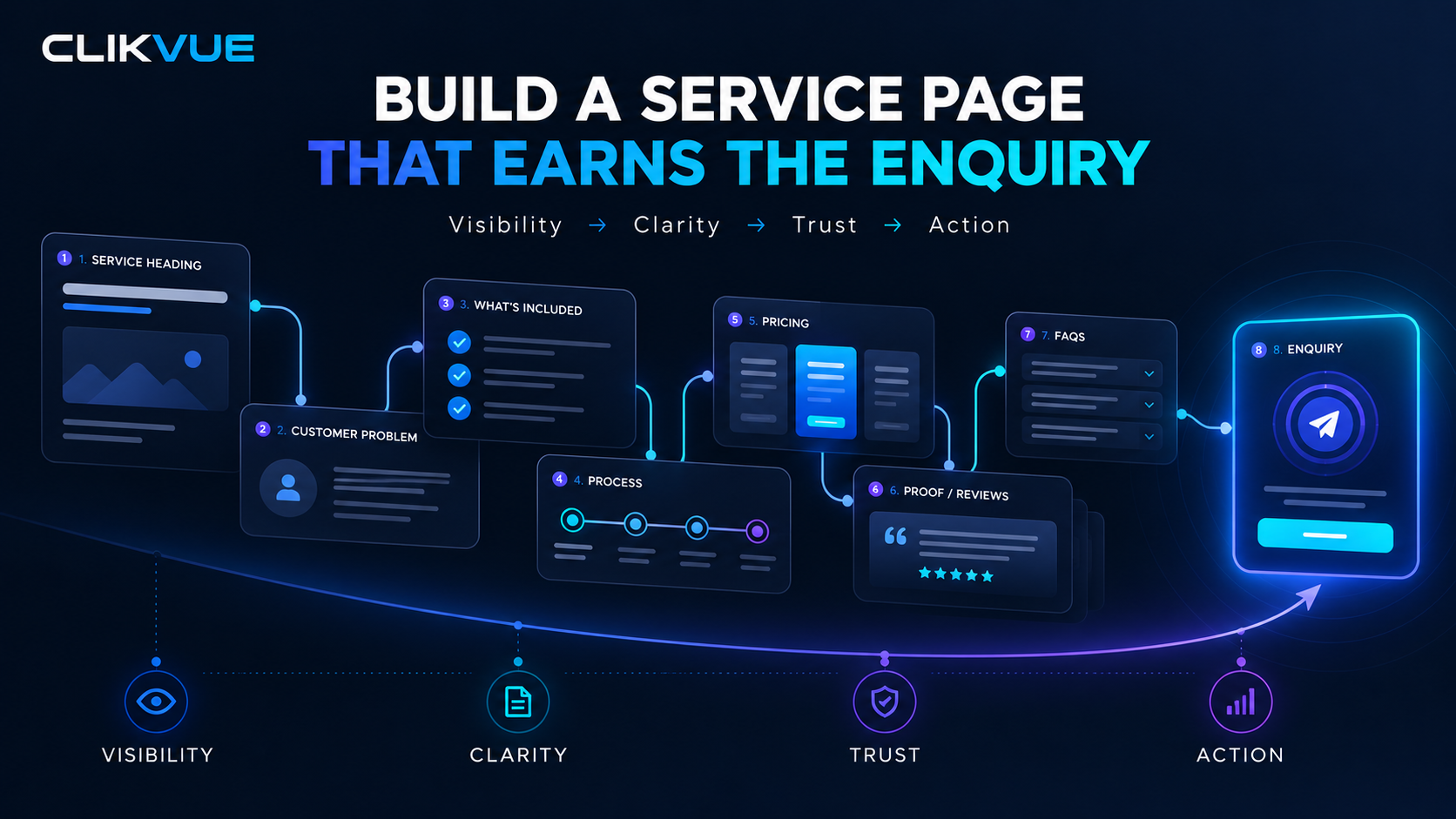
Our guide to creating a service page that earns enquiries can help you review that page.
Do not add different measures together
A profile click, website visit and form submission could be parts of the same journey. Adding them together would not give you three enquiries.
Keep a clear distinction between exposure, website activity, attempted contact and genuine opportunities:
These numbers answer different questions
Do not add them together and call the result “enquiries”. A person may appear in several measures.
| Measure | What it can show | What it cannot prove |
|---|---|---|
| Search impression | Your result appeared in search. | That somebody visited or requested help. |
| Website click or visit | Someone moved towards or used the website. | That a genuine enquiry arrived. |
| Call or message link tap | An attempt to make contact. | A completed conversation or message. |
| Verified form submission | A measured successful request from an included form. | Suitability, a unique sales opportunity or a win. |
| Business enquiry record | A genuine opportunity received by your team. | Every earlier marketing touchpoint. |
| Won opportunity | An accepted piece of work, using your agreed definition. | Profit or the complete history of the customer journey. |
Compare the same date range and label each measure. Different tools measure different actions, so their totals will not neatly reconcile. Investigate useful patterns without forcing the reports to produce a single perfect number.
Level 3: check website enquiries and label the links you share
Add this layer when the simpler process leaves a specific unanswered question. For example: which newsletter sends visitors to the quote page, or which website sources are associated with successful enquiry submissions?
Google Analytics 4, usually called GA4, can help when it is configured properly. It does not replace your records of suitability, follow-up and customer outcomes.
Measure a successful request, not just a click
Choose a measurable success condition for each contact route. For a quote form, that should usually be a confirmed successful submission, checked against what reaches the business.
Google recommends
generate_lead
for a form or information request. Recommended events require setup; installing GA4 does not automatically create them. See
Google’s recommended events.
Enhanced measurement includes
form_start
and
form_submit
. These are useful signals to test against your particular form, not proof that every counted action reached your team or became a suitable lead.
Google’s enhanced measurement guidance explains the options.
A phone-number tap or WhatsApp link click is an attempted contact. Keep it separate from a completed enquiry.
Test the whole route from the visitor to your inbox
Ask your website provider to help you run a controlled test on a phone as well as a desktop:
- Submit a valid test request. Confirm the success message appears and the business receives the details.
- Try an incomplete or invalid submission. It should not count as a completed request.
- Refresh the confirmation page or repeat the final action. Check whether that creates duplicate counts.
- Check that newsletter sign-ups and other forms are not mixed into sales enquiries.
- Confirm that the intended enquiry event appears once in the agreed test setup.
Label test enquiries clearly and exclude them from your business totals. Testing should respect the visitor’s privacy choices, not bypass them to produce a nicer report.
Also check the practical details: does the phone link use the right number, does the email address work, and do enquiries reach somebody who can respond? A success message is not enough if the notification disappears into an unattended inbox.
Make the useful action easy to find in your reports
GA4 lets you mark important events as key events. A verified quote request can be more useful than a page view for this purpose. Google’s key-event guide explains the setup.
You do not need to manage the technical work yourself. Give your provider a plain-English brief:
“Please measure successful sales enquiries once, keep phone and message clicks separate, test that requests reach us, and show which website traffic sources are associated with those submissions.”
Ask them to confirm which forms and contact routes are included. A report for one quote form should not be presented as a count of every enquiry the business receives.
Use campaign labels for links you share outside the site
UTM parameters are labels added to a web address to identify the source, channel and campaign. For an ordinary Facebook post, you could use:
Give a shared link three clear labels
Illustrative labels for an ordinary Facebook post. Keep the naming consistent between posts and reviews.
| Label | Example | Plain-English meaning |
|---|---|---|
| utm_source | Where the shared link was placed. | |
| utm_medium | social | The type of activity bringing the visit. |
| utm_campaign | autumn_service_guide | The named activity you want to compare. |
Labels describe campaign traffic when your measurement setup collects it. They do not identify every caller or prove a sale.
Google’s campaign URL guidance explains the parameters. Its Campaign URL Builder helps create the link. Parameter values are case-sensitive, so choose a consistent naming convention, such as lowercase names.
Keep a brief record of the labels you choose. Do not rename the same activity every time you share it. If comparing individual posts matters, agree an additional content label rather than inventing a new campaign for every click.
Test the link from the place people will actually use it. Check the right page opens, redirects retain the labels, and the page works on a phone. Do not assume the version copied into a draft is the version eventually published.
Use campaign labels for external activities you want to distinguish, such as social posts, newsletters or partner links. Do not add new campaign labels to ordinary navigation inside your own site; those clicks answer a different question.
A labelled link does not install analytics, guarantee measurement or identify the person who later calls. It provides more context when the measurement setup can collect the visit.
Read the report that matches the question
For traffic arriving during a period, start with GA4’s Traffic acquisition report and Session source / medium, alongside your verified enquiry event. User acquisition looks at first-user acquisition instead. Google’s source-dimension guide explains the distinction.
Do not compare these different definitions as though they mean the same thing. Say which basis you are using and keep it consistent.
“Direct” means there is no clear referral source. It does not prove every visitor typed your address. Missing campaign information or other measurement limitations can contribute. See Google’s direct-traffic guide.
If somebody discovers you through a recommendation, returns through Google and finally calls, no single website report is guaranteed to reconstruct all those steps. This is why the source question still matters.
Keep measurement proportionate and protect customer information
Start with the business process before adding more technology. Collect what you need to make decisions, not every detail that might be available.
Keep contact details and sensitive information in the appropriate customer system with suitable access controls. Use an enquiry reference in marketing summaries where practical, rather than copying private details into several places.
Google prohibits sending personally identifiable information such as email addresses and personal mobile numbers to Analytics. Keep those details out of campaign labels, tracked URLs and event data. See Google’s privacy guidance.
Before changing website tracking or consent controls, ask your provider to check the actual setup against current UK requirements. The ICO’s statistical-purposes exception has conditions; it is not a blanket exemption for all analytics or advertising. The ICO’s guidance explains the boundaries. This guide is not a substitute for advice on your specific setup.
Judge sources by suitable enquiries and outcomes
A source bringing ten enquiries is not automatically better than one bringing four. The ten may be outside your area, for a service you do not offer, or still waiting for a response.
Compare the count, suitability and outcome together. Where possible, include a consistently defined value for won work.
Here is an illustrative month. The numbers are made up to explain the method; they are not Clikvue results or a benchmark.
Compare fit and outcomes, not just volume
Illustrative numbers only. Not Clikvue results, a target or a benchmark.
| Reported discovery source | Enquiries | Suitable | Won | Booked value |
|---|---|---|---|---|
| Google Search | 14 | 9 | 5 | £3,200 |
| Google Maps | 9 | 7 | 4 | £2,450 |
| 7 | 3 | 1 | £400 | |
| Referral | 5 | 5 | 4 | £3,800 |
| Unknown | 3 | 1 | 0 | £0 |
| Total | 38 | 25 | 14 | £9,850 |
Grouped by first-enquiry month; outcomes as at review. Booked value is accepted work excluding VAT, not cash received or profit. “Suitable” is the business-fit label, not a later outcome.
The example groups opportunities by the month of their first enquiry. Outcomes are recorded as at the review date. Open opportunities may become customers later, so this is not a final verdict on the month.
Google Search brought fourteen enquiries, nine suitable requests and five wins. Facebook brought seven enquiries, three suitable requests and one win. Referral brought five enquiries and four wins.
The useful response is to ask better questions. What made the Facebook requests unsuitable? Was the offer unclear? Were people outside the service area? Did anyone follow up? What helped referrals become work, and can you make that experience easier for other customers?
Do not conclude that referral is always best or that Facebook should be abandoned. Five enquiries are a small sample. One large job, a different service mix or a longer decision time can change the picture.
Keep percentages and values honest
For a basic enquiry-to-win rate, divide wins by enquiries in the same group. Five wins from fourteen enquiries is about 36%. Keep the count beside the percentage and remember that open opportunities may change it.
Use one clear value definition. This example uses booked value for accepted work, excluding VAT. It is not cash collected or profit. Do not mix a quote, an accepted booking and a payment in one measure and call them all revenue.
If you use sales revenue instead, take it from dependable records and label it accordingly. You can omit value entirely until the information is reliable. An honest count is more useful than a precise-looking total based on guesses.
If comparing campaign spend, match the activity and period to the enquiries being reviewed. Spend divided by genuine enquiries gives a simple cost per enquiry; spend divided by wins gives a cost per won opportunity. If there are no wins, do not present a cost per win as zero.
These figures are decision aids, not the whole business case. They leave out differences in margin, capacity, repeat work and sales-cycle length.
Turn a change in the numbers into a useful next step
Measurement only earns its place if it helps you make a decision. Start with the most plausible part of the journey, then check it.
What should you check next?
Treat a pattern as a question to investigate, not proof of the cause. Change one clear thing at a time.
| Pattern | First useful checks |
|---|---|
| More relevant visits, no more enquiries | Service-page clarity, evidence, mobile layout and working contact routes. |
| More enquiries, no more suitable requests | Service area, offer wording, audience and recorded poor-fit reasons. |
| More suitable requests, fewer wins | Availability, response speed, quoting and follow-up. |
| Lower analytics, steady business enquiries | Measurement setup, consent choices, date range and report definitions. |
| More unknown sources | Who asks the source question, the wording and when the answer is recorded. |
If relevant search visits rise but enquiries do not, check the landing page and contact route before chasing more traffic. Is the service clear? Is the area obvious? Is there enough proof? Can someone request help easily on a phone?
If enquiries rise but suitable requests do not, examine the message and audience. A broader offer can produce more contacts while creating less useful work. Check the reasons recorded for unsuitable requests rather than treating all extra activity as growth.
If suitable enquiries rise but wins fall, look at availability, response speed, quoting and follow-up. The source may be doing its job while the later process needs attention.
If analytics falls but enquiries remain steady, first check measurement, consent settings and reporting definitions. Do not assume the business has declined simply because one report changed.
Choose one change you can describe clearly. “Improve marketing” is too vague. “Make the service area clear beside the quote form, then review unsuitable location enquiries next month” gives you something specific to test.
If you already have traffic but little contact, our guide to website traffic without enquiries helps you investigate the gap.
Run a short monthly review that ends with an action
Set a twenty-minute appointment and keep the same basic questions each time:
A monthly review that ends with a decision
Twenty minutes. One improvement, one owner and one review date.
- 5 minutes Clean the record Exclude tests and duplicates; update open outcomes and next actions.
- 5 minutes Compare useful enquiries Review source, suitability, wins and uncertainty for the same period.
- 5 minutes Check the context Compare relevant Google activity and note unusual business conditions.
- 5 minutes Choose the next step Name one change, its owner, the result to watch and a review date.
Before the review, update older open opportunities as well as the newest enquiries. Work that takes several weeks to decide should not disappear because you changed the date range.
Compare more than one period where practical. Note unusual events such as holidays, reduced availability, a large one-off job or a service you stopped offering. These can explain changes that have little to do with marketing quality.
Finish with a sentence: “We will change this, this person will own it, and we will review this result on this date.” Keep a short record of what changed so you do not attribute everything to the last action you remember taking.
Common questions from small business owners
What if most people just say “Google”?
Keep “Google — unsure” and use one gentle follow-up when appropriate. Improve the question, but do not force a distinction the customer cannot remember. Use Google reports for broader context rather than inventing a source for each person.
What if we only receive a few enquiries each month?
Keep the actual counts visible and review a longer period if it gives you a more useful picture. One win from two enquiries is 50%, but it is still only one win. Avoid major changes based on tiny or unfinished groups.
What if we do not have GA4 or Search Console?
Start with the question, enquiry record and contact-route test. Ask your provider which tools already exist and who controls access before setting up more accounts. Technical reports can come later, when they answer a question your basic records cannot.
What if the customer answer and analytics disagree?
Check what each one measures. First discovery, a recent visit and the final contact route can all differ. Keep the evidence labelled, look for repeated patterns and resist choosing whichever answer makes a favourite channel look better.
What to do this week
Start with a manageable sequence:
- Agree what counts as one enquiry and who keeps the record current.
- Add the first-discovery question to calls, replies and the form where appropriate.
- Use consistent source, contact, suitability and outcome labels.
- Test every important contact route on a phone, including receipt at the business end.
- Record genuine enquiries and the next action; leave uncertainty visible.
- Review your existing Google reports using the same dates and clear measure names.
- Book a monthly review and choose one improvement with an owner and review date.
Add website events or campaign labels when you have a specific question to answer, not simply because another report is available.
The aim is not to claim perfect attribution. It is to understand enough about how people find, choose and contact your business to make the next improvement with more confidence.
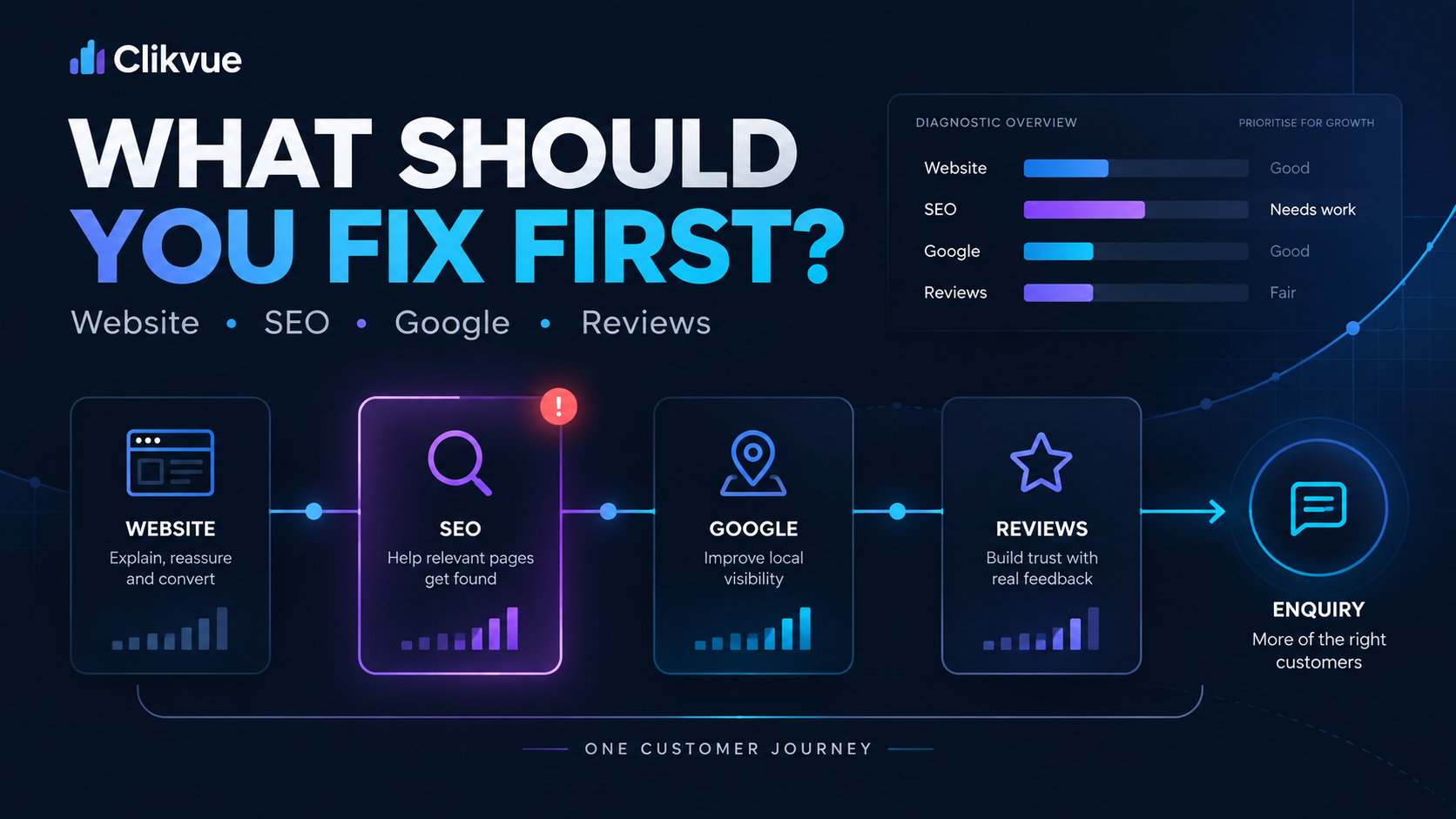
If the evidence shows several problems and you are unsure where to begin, read Website, SEO, Google or Reviews: What Should You Work on First?.
Not sure where your enquiry journey needs attention?
Clikvue helps small businesses make sense of website clarity, Google visibility, trust and the steps that turn interest into enquiries.
Check your Growth Score
Use the free assessment to spot areas of your online presence that deserve a closer look.
Take the free Growth Score assessmentTalk through your next step
Talk through what your enquiries and online presence are telling you, and choose a practical next step.
Book a Growth ReviewTurn Clicks into Customers
Resources
Google Campaign URL Builder
A free Google tool for creating trackable campaign links. Useful for keeping social, email, newsletter and partner traffic consistently labelled inside Google Analytics.
View resource →
Create a Service Page That Ranks, Builds Trust and Gets Enquiries
Use this Clikvue guide to review the clarity, structure, evidence and next step on one of your most important service pages.
View resource →
Website Traffic but No Enquiries? Here’s What to Check
A practical troubleshooting guide for working out what may be stopping website visitors from taking the next step and becoming an enquiry.
View resource →
Website, SEO, Google or Reviews: What Should You Work on First?
Use this guide when several areas of your online presence need attention and you need to decide which improvement is most likely to make a meaningful difference first.
View resource →
Sources
Platform definitions and UK privacy guidance checked on 11 October 2026.
Google Business Profile — Performance Metrics
Google’s official guidance on the interactions and performance data available through a Business Profile, including searches, calls, website clicks and other customer actions.
View resource →
Google Search Console — Performance Report
Explains how Search Console reports Google Search impressions, clicks, queries, pages and other search performance information.
View resource →
Google Analytics — Recommended Events
Google’s guidance on recommended GA4 events that can be used to measure important customer actions and interactions on a website.
View resource →
Google Analytics — Enhanced Measurement
Explains GA4’s automatically collected website interactions, including outbound clicks, scrolls, downloads and other useful behaviours.
View resource →
Google Analytics — Key Events
Google’s documentation on marking important customer actions as key events so businesses can focus reporting on the actions that matter most.
View resource →
Google Analytics — Campaign URLs
Official guidance on using campaign parameters to identify where visitors came from and distinguish traffic generated by different marketing activity.
View resource →
Google Analytics — Source and Traffic Dimension Scopes
Explains the different ways GA4 attributes traffic sources across users, sessions and individual events.
View resource →
Google Analytics — Understanding Direct Traffic
Google’s explanation of direct traffic and why Analytics may sometimes be unable to identify the original source of a website visit.
View resource →
Google Analytics — Avoiding Personally Identifiable Information
Google’s guidance on preventing personally identifiable information from being sent to Analytics when setting up website measurement.
View resource →
Information Commissioner’s Office — Storage and Access Technology Exceptions
Official UK guidance explaining when cookies and similar storage or access technologies may fall within exceptions to consent requirements.
View resource →
Recent Posts