CLIKVUE GROWTH HUB
Local SEO: How to Get Found in the Towns You Serve
Local SEO: How to Get Found in the Towns You Serve
You might be based in one town but work across several.
A plumber in Milton Keynes might regularly travel into Buckingham, Leighton Buzzard and Bedford. A consultant could work with businesses across Buckinghamshire, Bedfordshire and Hertfordshire. A tradesperson might comfortably cover a 30-mile area.
There is just one problem.
Serving a town does not automatically mean people searching there will find you.
You can list an area on your website. You can add it to your Google Business Profile. You can even write "covering Milton Keynes, Bedford, Northampton and surrounding areas" across several pages.
None of those things guarantees visibility.
Google says local results are mainly influenced by relevance, distance and prominence. In simple terms, Google is trying to work out whether your business is a good match for the search, how close or appropriate it is geographically, and how established or trustworthy it appears to be.
If you want to become more visible across several towns, you therefore need more than a list of place names.
You need to give Google, and potential customers, good reasons to associate your business with those areas.
Why businesses struggle to rank outside their home town
Imagine you run an electrical business based in Milton Keynes.
Your website says you cover:
Milton Keynes, Newport Pagnell, Buckingham, Leighton Buzzard, Bedford and Northampton.
That tells someone you are willing to travel there.
It does not necessarily tell Google that your business is especially relevant to someone searching for an electrician in Bedford.
A competing electrician may have:
- a business physically closer to the person searching
- a stronger Google Business Profile
- a dedicated and genuinely useful Bedford service page
- reviews from customers in the area
- photographs or case studies from jobs nearby
- stronger local links and mentions
- clearer information about the electrical work they provide
Simply adding "Bedford" to your footer is unlikely to overcome all of that.
That is why local SEO needs to be treated as a collection of connected signals rather than a keyword exercise.
Serving a town ≠ ranking in a town
A service area tells customers where you work.
Local visibility also depends on:
RELEVANCE
Does Google clearly understand what you offer?
DISTANCE
How geographically suitable is your business for the search?
PROMINENCE
Does your business appear established and trusted?
Adding more town names does not automatically strengthen all three.
1. Decide which towns actually matter
One of the easiest local SEO mistakes is trying to target everywhere at once.
If you are willing to drive 50 miles, you could technically create an enormous list of towns and villages you serve.
That does not mean you should try to optimise your website for every one of them.
Start by identifying the places that genuinely matter to the business.
Look at where your existing customers come from, where you would like more work, how far your team can realistically travel and which services make commercial sense in each area.
You might discover that although you technically cover 20 towns, four or five account for most of the opportunity.
Those should usually receive attention first.
For example, a business wanting to grow around Milton Keynes might prioritise Milton Keynes itself, Buckingham, Leighton Buzzard and Bedford before trying to create content for every village within driving distance.
A smaller number of strong locations is usually much easier to support properly than dozens of barely differentiated pages.
2. Set your Google Business Profile service area correctly
If you travel to customers rather than serving them at your premises, your Google Business Profile should accurately reflect that.
Google allows service-area businesses to specify up to 20 service areas, using towns, cities, postcodes or other recognised areas. Google also advises that the overall service area should generally not extend much beyond roughly two hours' driving time from the business base.
Only add places you genuinely serve.
If customers do not visit your business address, Google says the address should normally be hidden and the business should operate as a service-area business instead.
There is another important point here.
Do not create fake locations simply because you want to rank in another town.
A service-area business generally has one Business Profile covering the area it serves. Separate profiles are appropriate when you genuinely operate from separate staffed locations that meet Google's eligibility requirements. Virtual offices and addresses where the business does not genuinely operate are not an acceptable shortcut.
Adding Bedford, Buckingham or Northampton to your service area can help Google and customers understand where you work.
It should not be treated as a switch that makes you rank there.
3. Make your main services extremely clear
Before worrying about individual towns, make sure Google can clearly understand what the business actually does.
Suppose someone searches:
emergency plumber Milton Keynes
A website with one generic "Services" page covering boilers, bathrooms, plumbing, heating, servicing, repairs and installations gives Google less specific information than a website with clear pages for its important services.
A better structure might include dedicated pages for:
- emergency plumbing
- boiler repairs
- boiler servicing
- boiler installation
- bathroom plumbing
Those service pages can then naturally explain where the company operates.
This matters because location cannot compensate for weak service relevance.
If Google cannot confidently understand the work you provide, adding another town name is unlikely to solve the underlying problem.
4. Create location pages where they genuinely deserve to exist
Location pages can be very useful.
They can also be done terribly.
A useful location page might target something such as:
Boiler Repairs in Bedford
or:
Accountants for Small Businesses in Milton Keynes
The page should help someone in that particular location decide whether your business is suitable for them.
That means doing much more than changing the town name in the heading.
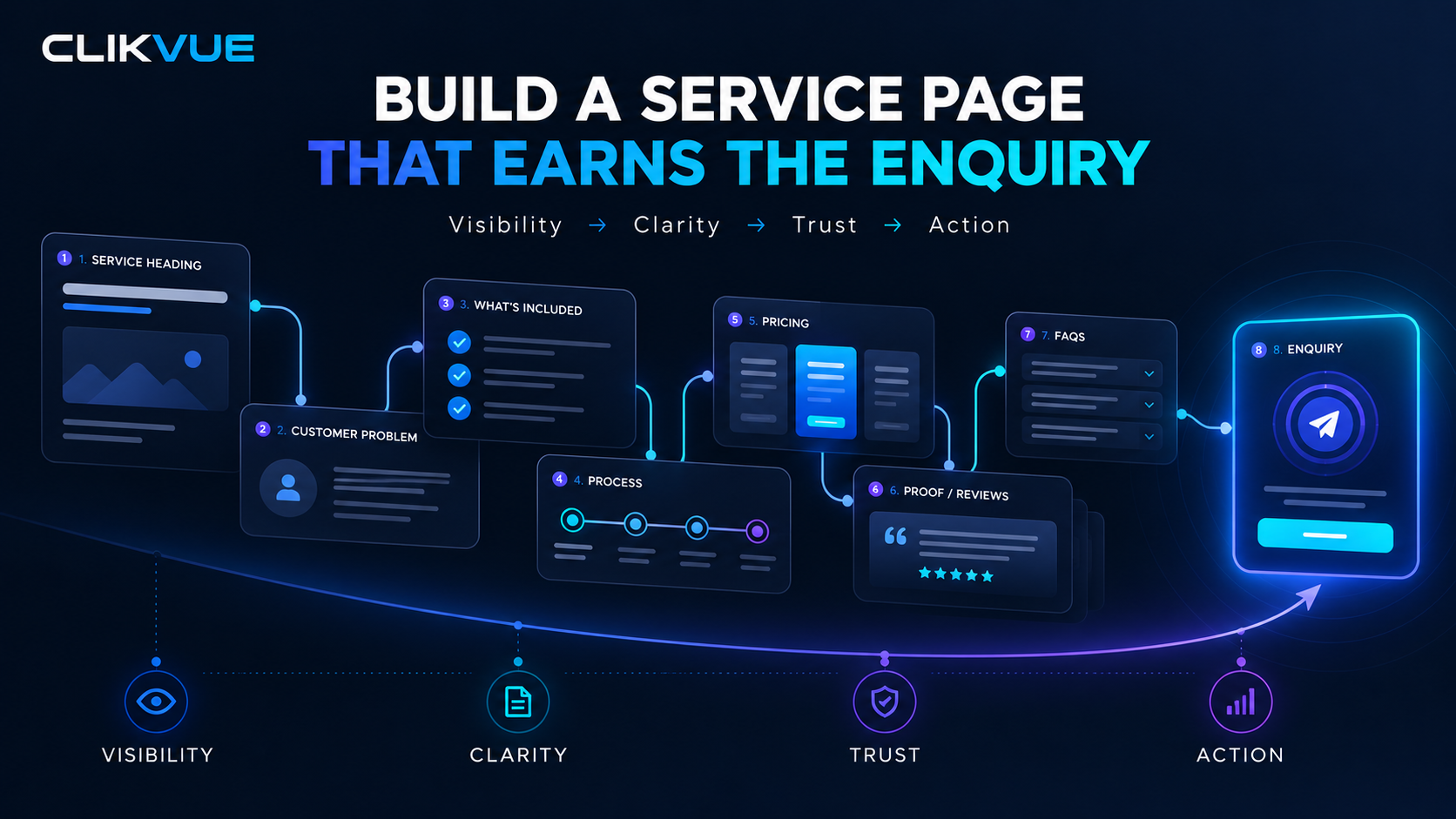
A strong page could include:
- the service available in that area
- the types of customers you commonly help there
- examples of relevant work or projects
- genuine customer testimonials or proof
- photographs from work completed nearby
- areas around the town you regularly cover
- useful questions customers in that area tend to ask
- clear information about how to enquire or book
The page should feel as though it was created for a potential customer in that area, not for a search engine.
Changing the town name is not enough
Plumber in Bedford
- Town name swapped into generic copy
- Little useful local information
- No evidence of work in the area
- Almost identical to every other location page
Boiler Repairs in Bedford
- What services are available locally
- Who the business helps
- Areas around Bedford regularly covered
- Recent local work or case studies
- Customer reviews and proof
- Useful questions customers commonly ask
- A clear way to enquire or book
5. Do not clone the same page for 30 towns
This deserves its own section because it is still surprisingly common.
A business creates:
/plumber-milton-keynes
Then copies it to:
/plumber-bedford
/plumber-northampton
/plumber-luton
/plumber-aylesbury
…and another 20 locations.
Almost every sentence stays the same. Only the place name changes.
That is not a strong local SEO strategy.
Google's spam policies specifically warn about pages targeted at different regions or cities that primarily funnel visitors towards the same destination. Google also identifies substantially similar pages and unnatural blocks of city names as potential doorway or keyword-stuffing behaviour.
This does not mean every business with multiple location pages is doing something wrong.
The important question is whether those pages offer real individual value.
A useful test is:
If Google disappeared tomorrow, would this page still be useful to a customer in that town?
If the answer is no, the page probably needs more work.
THE LOCATION PAGE TEST
Before publishing a new town page, ask:
Is there enough genuine information here to justify its own page?
✓ Specific service information
✓ Local customer proof
✓ Relevant examples or projects
✓ Useful local FAQs
✓ Clear service coverage
✓ A genuine reason for someone in this town to read it
If the only unique element is the town name, do not publish it yet.
6. Build local proof, not just local keywords
One of the strongest ways to make a location page more useful is to show evidence that you actually work there.
Suppose a roofing company wants more business in Buckingham.
Over time, the website might include:
Recent roof repair in Buckingham
A short case study explains the problem, what was repaired and the outcome.
Another page may include a customer testimonial from Buckingham.
The company could also have photographs from projects around the area.
This creates something much stronger than repeatedly writing "roofers Buckingham".
It creates evidence.
The same principle works for consultants, clinics, salons, accountants, cleaners and many other local businesses.
Your local content should gradually reflect the places where real business is happening.
7. Let your reviews support your geographic reach naturally
Reviews can also strengthen the overall picture around your business.
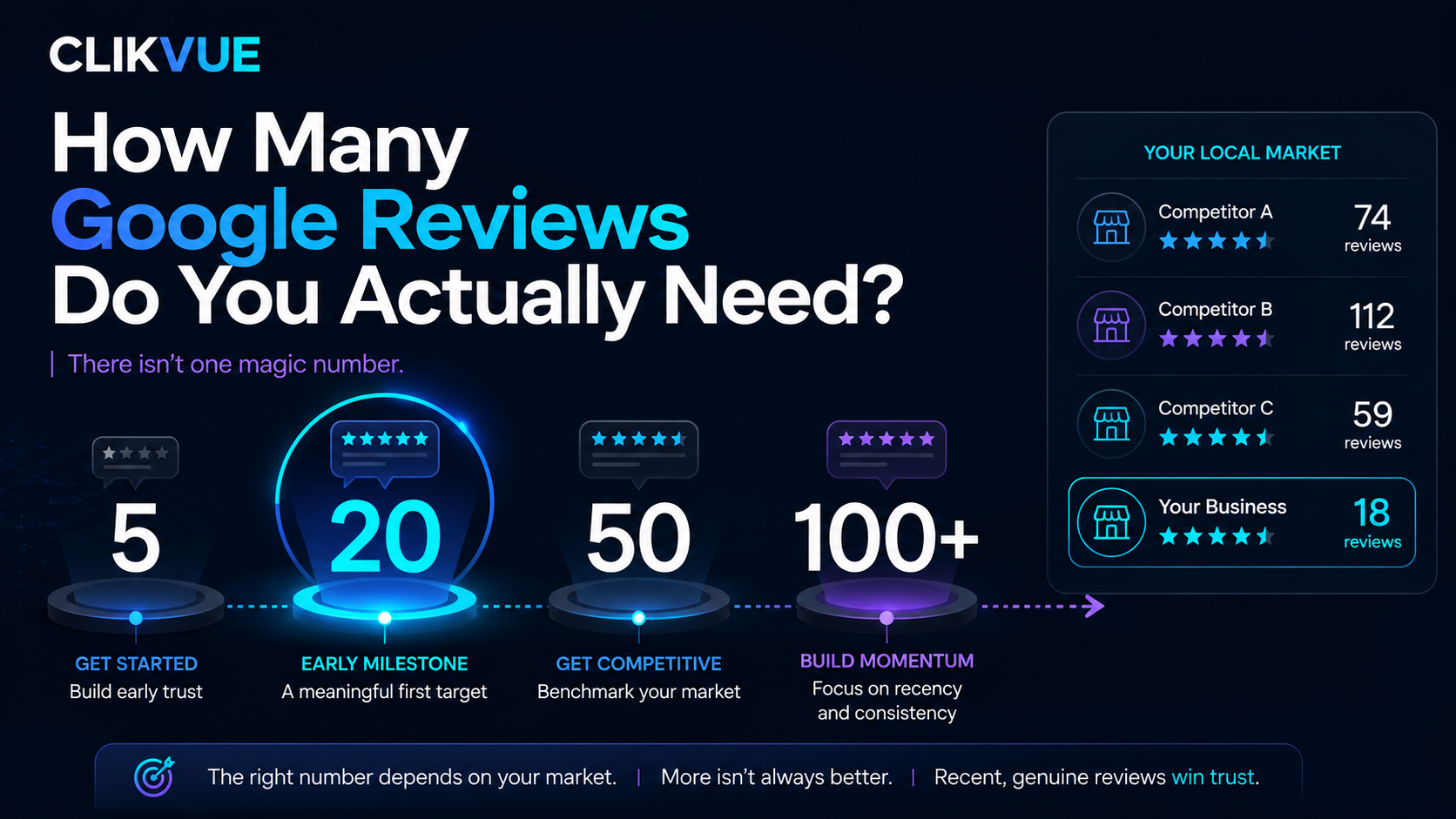
Google says review quantity and positive ratings can contribute to local prominence, while reviews themselves provide useful information to potential customers.
If customers naturally write things such as:
"Called them out to our house in Bedford…"
or:
"They helped us redesign our website in Milton Keynes…"
that creates useful contextual information around the customer experience.
But there is an important line not to cross.
Do not tell customers what keywords or town names to put in their review.
Google's review policies specifically say businesses should not request that customers include particular content in their reviews. Reviews should represent the customer's genuine experience in their own words.
The better approach is simply to make requesting reviews part of your normal customer process.
Google provides businesses with a direct review link and QR code that can be shared in emails, messages or other follow-up communication. Incentives for reviews are prohibited.
8. Connect your service and location pages properly
A good local website should not feel like a collection of disconnected SEO pages.
Your structure should help both visitors and search engines understand how your services and locations relate.
For example:
Boiler Repairs
could naturally link to:
Boiler Repairs in Milton Keynes
and:
Boiler Repairs in Bedford
Your Bedford page could then link back to your main boiler repair page for more detailed information about the service.
You might also create one clear Areas We Serve page that gives visitors an overview of your main coverage area and links to the locations where you have enough useful information to justify dedicated pages.
That creates a logical hierarchy rather than dozens of pages hidden away solely for search engines.
9. Strengthen your presence outside your own website
Google describes prominence as how well known a business is.
It can take into account information about a business from elsewhere on the web, including links and reviews.
This means your local SEO work should not stop at your website.
Depending on the business, useful local signals might come from:
- relevant local directories
- trade organisations
- local business groups
- suppliers or partners
- community organisations
- local press
- sponsorships
- professional associations
- genuine collaborations with other businesses
Quality matters far more than collecting hundreds of random directory links.
Google's spam policies explicitly warn against low-quality directory links, paid links intended to manipulate rankings and excessive link exchanges.
Think about where a genuine local business would reasonably be mentioned online.
Those are usually much better opportunities.
10. Keep your business information consistent
Your website, Google Business Profile and important third-party listings should describe the same real business.
That includes basics such as:
Business name
Telephone number
Address, where applicable
Opening hours
Website
Services
Service area
If your business moves, changes its phone number or alters its opening hours, update the important places where customers find you.
Google itself recommends keeping Business Profile information complete and accurate because this helps it understand what you do, where you are and when customers can interact with the business.
Consistency is not exciting SEO work.
It is still important.
11. Use structured data as supporting information, not a shortcut
Structured data can help search engines interpret information about a business.
Google supports
LocalBusiness
structured data for describing information such as business type, location, opening hours and other business details.
It can be worth checking that your website uses suitable business structured data correctly.
But schema markup should support what already exists on the page.
It does not turn a weak location page into a strong one, and adding a list of every town you serve into code is not a substitute for building genuine local relevance.
The fundamentals still matter more:
clear services, accurate business information, useful pages, local proof and trust.
12. Measure whether your location strategy is actually working
Local SEO should not become an endless exercise in publishing pages and hoping.
Google Search Console can show which search queries are producing impressions and clicks for your website, as well as which pages are appearing in Google Search.
If you are targeting Bedford, for example, you can examine queries containing "Bedford" and monitor the relevant Bedford page.
Over time, look for changes in:
Impressions
Is Google showing the page more often?
Clicks
Are people actually visiting it?
Queries
Are you appearing for the services you intended to target?
Enquiries
Most importantly, is the visibility producing actual business?
Do not become obsessed with one ranking position.
Google itself recommends looking at broader trends in impressions and clicks rather than concentrating entirely on average position.
For a small business, getting three positions higher means very little if the page attracts the wrong people and produces no enquiries.
A simple local SEO strategy for multiple towns
If you want to improve visibility across the areas you serve, you do not need to create 50 pages tomorrow.
A sensible starting point is:
Step 1: Check your Google Business Profile
Make sure your business type, services, contact information and genuine service areas are correct.
Step 2: Pick your priority locations
Choose a small number of towns where more visibility would make a meaningful commercial difference.
Step 3: Strengthen your main service pages
Make sure Google and customers can clearly understand what you actually provide.
Step 4: Review your location content
Create or improve pages only where you have enough information to make them genuinely useful.
Step 5: Add real local proof
Use projects, case studies, testimonials, photographs and relevant business information.
Step 6: Build your reputation
Keep collecting genuine customer reviews and look for legitimate local mentions, partnerships and links.
Step 7: Measure what happens
Use Search Console, website analytics and enquiry data to see where visibility is growing and whether it is producing customers.
Strong local visibility is built in layers
Getting found across the towns you serve is rarely down to one thing. Each signal helps strengthen the next.
Do you need a separate page for every town you serve?
Usually, no.
If you cover ten towns but only have enough meaningful information to create three useful location pages, start with three.
You can still mention your wider service area elsewhere on the website.
The goal is not to create the largest possible number of URLs.
It is to build the strongest possible case that your business is relevant to customers in the locations that matter.
That takes more work than copying a page and changing the town name.
It is also far more useful to the people you are trying to reach.
Not sure how visible your business is across the areas you serve?
It is surprisingly easy to assume your business is visible locally because your Google Business Profile exists and your website lists the right towns.
The reality can look very different when you examine the complete customer journey.
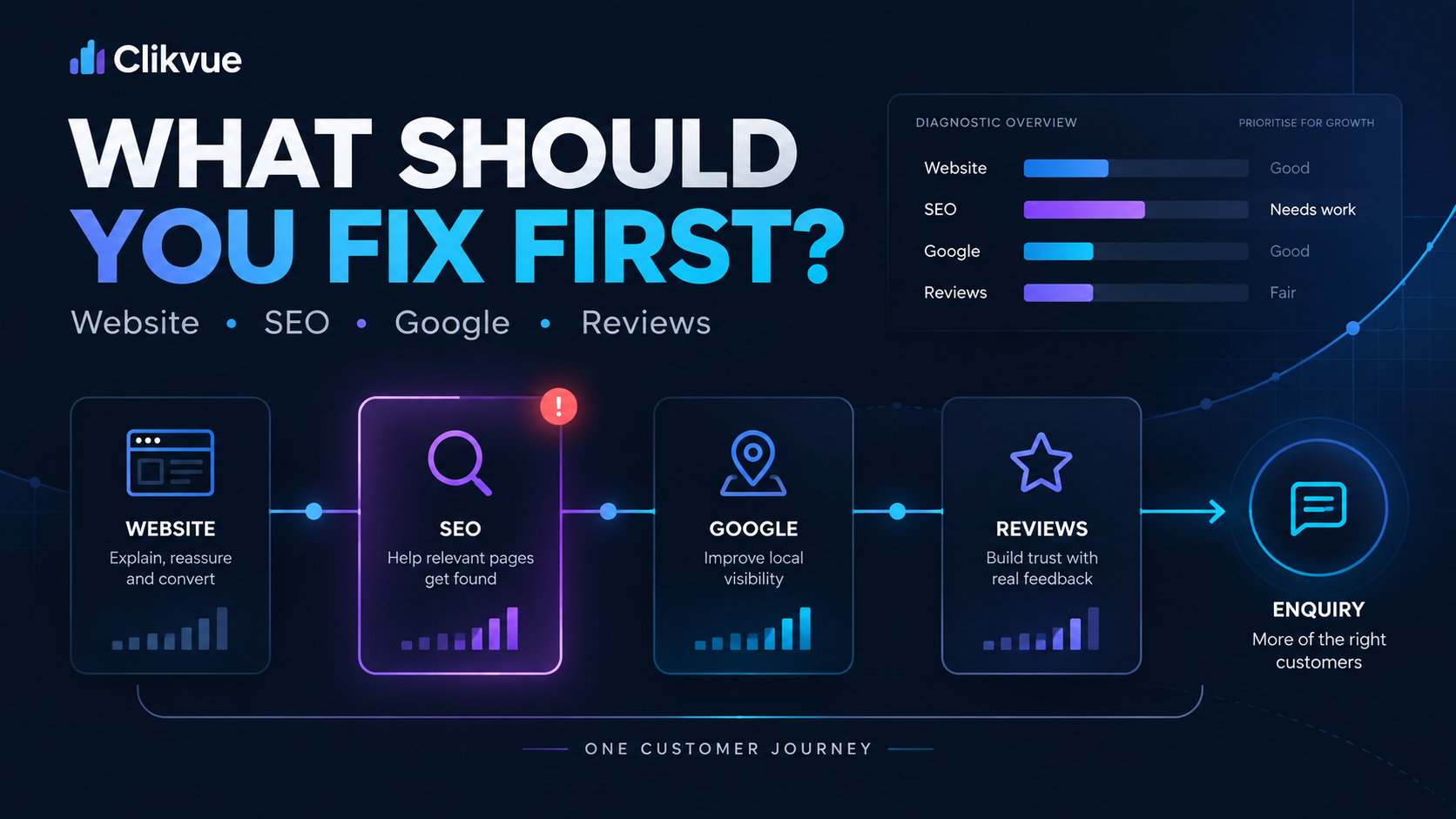
Clikvue's Growth Score assessment looks at areas including your website, Google visibility, trust, reviews and conversion to help identify where your online presence may be letting you down.
Check your Clikvue Growth Score
If you want a more detailed look at your online presence, Clikvue's £100 Snapshot Report reviews the key issues affecting how your business is found, understood and trusted online, with practical recommendations on what to improve next.
Request a £100 Snapshot Report
Because getting seen in more towns is useful.
Getting found by the right customers, and giving them a reason to choose you, is what actually matters.
Resources
Google Business Profile: Manage your service areas
Google's official guidance for service-area and hybrid businesses, including how to add areas and the rules around service coverage.
Manage your service areas on Google Business Profile
Google Business Profile: Improve your local ranking
Google's explanation of local ranking and the roles of relevance, distance and prominence.
Tips to improve your local ranking on Google
Google Search Console Performance Report
Use Search Console to review the queries and pages producing impressions and clicks from Google Search.
Google Search Console Performance report guide
Google Search Central: LocalBusiness structured data
Technical guidance for describing local business information to Google using structured data.
Google LocalBusiness structured data documentation
Sources
Google Business Profile Guidelines
Official requirements for accurately representing physical and service-area businesses on Google.
Guidelines for representing your business on Google
Google Search Spam Policies
Google's policies covering doorway pages, keyword stuffing, scaled content and manipulative link practices.
Google Review Policies
Guidance covering genuine reviews, review requests, incentives and attempts to influence what customers write.
Google prohibited and restricted review content
Google: Tips to Get More Reviews
Official guidance on requesting and responding to genuine customer reviews.
Recent Posts